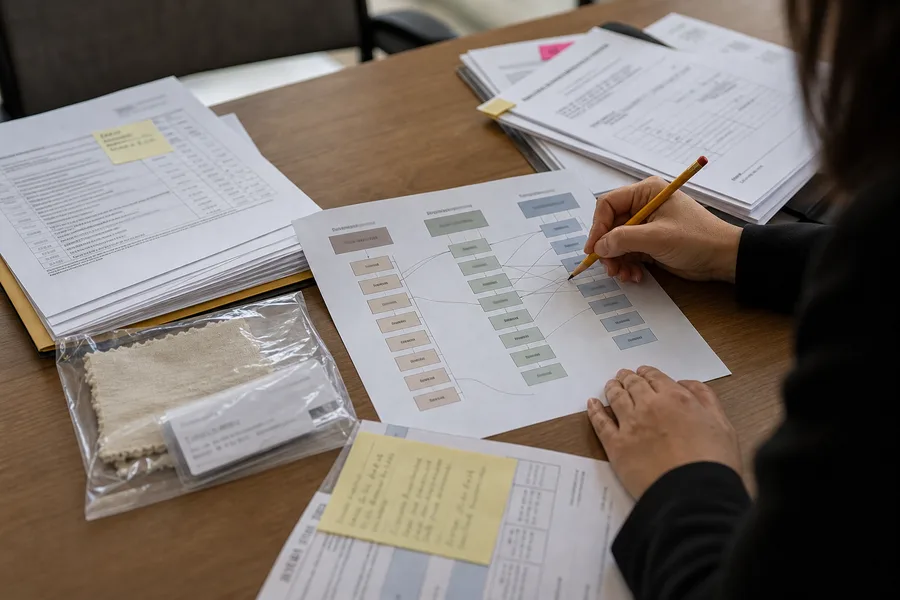
售后人员每天会收到大量图片:产品破损、接口异常、包装受潮、安装位置、铭牌和购买凭证。图片在聊天工具和工单附件里越积越多,技术人员后来想查同类问题,却不知道哪张图对应哪个型号、哪个批次,也分不清照片展示的是故障原因还是客户使用环境。
把这些资料接入 AI 知识库之前,企业要先完成分类、脱敏和事实确认。未经整理的照片不会自动变成经验。它们缺少上下文,还可能包含姓名、地址、订单号和客户现场信息。知识库需要的是可追溯的案例记录,而不是一个越来越大的图片文件夹。
照片必须和工单、产品及时间关联
每组售后图片都应有工单编号,工单再关联产品编码、型号、版本、批次或序列号、购买或交付时间和客户描述。无法确认批次时要明确标记“未知”,不要根据外观猜测。
同一工单内的图片按用途分类。全景图说明整体状态,近景图展示问题部位,铭牌图帮助识别型号和批次,包装图用于判断运输状态,安装环境图补充使用条件。只保存一张模糊近照,技术人员很难判断问题发生在哪里。
| 图片标签 | 需要展示 | 处理提示 |
|---|---|---|
| 整体状态 | 完整产品、配件和当前装配情况 | 避免只拍局部而失去位置关系 |
| 故障部位 | 异常位置、裂纹、磨损、变色或提示信息 | 记录拍摄角度,必要时加比例参照 |
| 型号批次 | 铭牌、标签、序列号或包装批号 | 客户信息入库前按需要遮挡 |
| 使用环境 | 安装方向、连接方式、温湿度或周边条件 | 区分事实照片与客户口头描述 |
| 包装运输 | 外箱、缓冲材料、封口和受损位置 | 保留收到货物时的时间信息 |
| 处理结果 | 维修、更换或调整后的状态 | 与处理前照片使用同一工单编号 |
故障现象、原因和处理结果分开记录
照片能显示“哪里不对”,通常不能单独证明“为什么不对”。裂纹可能来自材料、装配、运输或使用条件;接口烧蚀也可能有不同原因。售后人员先记录客户观察到的现象,技术人员再根据检查和测试填写原因结论。
原因尚未确认时,状态可以写成“待分析”“需要返样”或“证据不足”。不要因为 AI 需要答案,就把初步猜测写成确定原因。后续检查推翻原判断时,保留更正记录和日期,知识库只把批准后的结论作为现行答案。
处理结果也要写明边界。更换了某个部件,不代表已经找到根因;客户恢复使用,也不等于问题不会复发。工单可以分别记录临时处理、最终措施和后续观察。
客户图片先做隐私和公开范围检查
售后图片可能拍到人脸、家庭环境、门牌、快递单、电话号码、订单号和其他品牌设备。企业应按工单处理所需范围保留原始资料,进入培训或知识库前再制作脱敏副本。
脱敏不能只裁掉客户姓名。文件属性、截图通知栏、背景屏幕和二维码也可能暴露信息。处理人员应记录脱敏版本与原始文件的关联,普通知识库用户只访问经过批准的版本。
并非所有图片都要长期保存。企业可以按售后处理、质量分析和争议留档的实际需要确定保留范围,到期后删除不再需要的副本。知识库索引也要同步移除,不能只删除源文件。
从单个工单提炼成可复用的知识条目
一个工单解决后,质量或产品人员判断它是否值得进入知识库。偶发且无法确认原因的案例可以留在工单系统,不必强行转成标准答案。重复出现、具有清楚识别特征和稳定处理办法的问题,更适合整理。
知识条目可以包含适用型号和版本、可观察现象、需要补拍的照片、排查顺序、不能据此判断的事项、处理方法、升级条件和资料负责人。图片作为例证,文字负责解释,不让使用者只凭相似外观下结论。
条目标题应写成实际问题,例如“某型号通电后指示灯不亮的基础排查”,不要只用“案例 023”。同一现象涉及多个原因时,把分支条件写清楚,必要时要求转人工或返样检测。
接入 AI 前补齐元数据和权限
AI 助手需要知道一条记录适用于哪个产品、哪个版本、何时批准。文件名和图片内容不足以稳定提供这些信息。企业应把型号、故障分类、状态、日期、负责人和可访问角色写成结构化字段。
凯乐丰的企业私有化 AI 部署方案可作为知识接入、权限和应用场景规划的参考。私有化部署不会自动完成脱敏、事实审核和版本管理,企业仍要决定哪些资料允许检索、哪些角色可以查看原图。
客户原始工单、脱敏案例和公开售后说明应放在不同资料层。普通客服可以检索批准的排查知识,质量人员按权限查看详细案例,面向客户的 AI 则只使用公开或专门批准的回答。
用真实提问检验知识库回答
知识条目入库后,选择一组真实售后问题测试。提问可以包含型号正确、型号缺失、描述模糊、照片相似但版本不同等情况。团队检查 AI 是否引用了正确条目,是否说明需要补充的信息,遇到证据不足时会不会停止下结论。
- 确认回答使用了当前产品版本和批准条目;
- 检查是否泄露其他客户、订单或内部信息;
- 验证图片相似时不会直接推断相同故障原因;
- 确认高风险或无法判断的问题会转给人工;
- 把错误回答对应回源文件、标签或权限设置并修正。
测试结果应留档。知识库更新后重复同一组问题,可以判断新资料是否解决了旧错误,也能发现某条答案已经被新版本产品淘汰。
让售后、质量和产品团队共同复核
售后团队负责收集资料和记录客户描述,质量或技术人员确认故障判断,产品负责人决定是否需要修改说明、包装或设计。知识库管理员负责格式、权限和版本,但不替代业务人员下结论。
每月可以按故障类型和型号查看重复案例。数量变化只能作为线索,还要确认统计口径、销量和资料质量。发现同类问题增多时,团队先回看工单和样品,再决定更新知识条目、产品页面或内部措施。
整理后的售后资料能帮助团队更快找到相似案例,也能让 AI 回答有明确来源。客户图片只有在工单关系、事实状态和访问边界清楚后,才适合成为企业知识的一部分。
常见问题
所有售后照片都应该放进 AI 知识库吗?
不应该。原始图片先留在受控工单中。只有具备业务用途、完成必要脱敏、能够关联型号与事实状态,并经过负责人批准的资料,才适合进入对应权限的知识库。
AI 可以根据一张故障照片直接判断原因吗?
通常不能只靠一张照片下结论。图片可以帮助识别现象和相似案例,原因判断还需要型号、批次、使用条件、测试记录或实物检查。证据不足时应补充资料或转交技术人员。
资料说明:本文由凯乐丰资料站编辑部整理,用于制造企业售后图片、故障记录和 AI 知识库资料管理参考。具体判断与处理应由企业结合产品和实际检查结果确认。