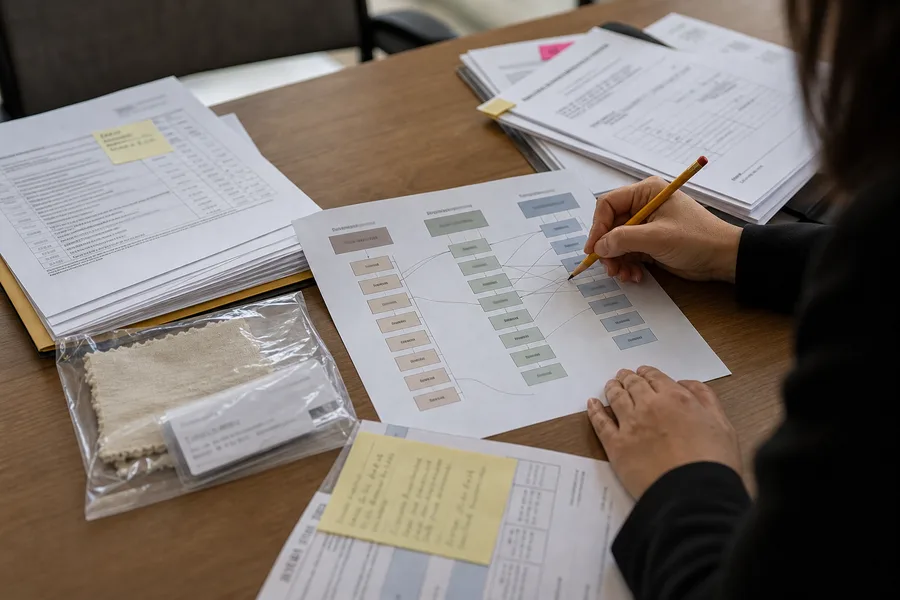
Subcontracting can be part of normal manufacturing. It becomes a buyer problem when the supplier moves work to another facility without explaining which process changed, who controls quality and whether the product evidence still applies. A purchase order may name one factory while the actual production, assembly or packaging occurs elsewhere.
Ask which work is moving and where
Request the subcontractor's legal name, address, process, product scope, start date and reason for use. The answer should distinguish a temporary capacity measure from a long-term production arrangement. A buyer needs to know whether the subcontractor makes a component, performs final assembly, handles packaging or completes a safety-critical process.
Map the subcontractor to the relevant SKU, purchase order and production period. A broad statement that the supplier uses "approved partners" does not tell the buyer whether the current order will be affected.
| Question | Buyer evidence | Decision use |
|---|---|---|
| Who performs the process? | Subcontractor record and process description | Confirms production location |
| What quality controls apply? | Inspection plan and owner | Checks accountability |
| Does product evidence still fit? | Test scope, specification and sample record | Identifies retest or approval needs |
| Who may approve the change? | Contract or purchase order clause | Sets buyer consent boundary |
Get approval before the order relies on the site
The buyer's approval should identify the specific change, product and period. Approval for a minor packaging partner does not automatically cover a new factory making a regulated component. Save the supplier request, buyer decision and conditions in the order file.
Conditions may include a new sample, updated audit material, inspection at the subcontractor site, product testing, a limited first run or a requirement that the supplier remain responsible for defects. The point is to match the control to the work moving, not to add the same checklist to every supplier change.
Keep quality responsibility visible
The contracting supplier should not disappear from the quality record because a subcontractor is involved. The file should show who approves materials, controls the specification, inspects output, handles corrective action and answers a warranty issue. If the buyer communicates directly with the subcontractor, record the scope of that contact so responsibility remains clear.
Test the first output and record the result
Use the first subcontracted batch as a review point. Compare the sample, process records, product markings and inspection result with the approved change. If the result differs, document whether the buyer will hold the next order, require a correction or withdraw approval. This creates a usable history for future capacity or supplier discussions.
Reopen the file when the subcontractor changes, the work scope expands, the product version changes or a complaint pattern appears. A one-time approval should not become permanent permission for unrecorded production moves.
Handle an unapproved move promptly
If the buyer learns that production moved before approval, first identify the affected order, process and inventory. The team may need to pause shipment, request samples, inspect the output, update the product file or accept a limited quantity under a documented condition. The response should match the actual work moved, not assume that every subcontracting event has the same risk.
Record the supplier explanation, buyer decision and any corrective requirement. An unapproved change can reveal a weak communication process, but the file should separate that process issue from verified product or quality findings.
Use the change record in future sourcing decisions
Review whether the supplier followed the approval condition on the first batch and later orders. If the subcontractor became a regular part of the supply chain, update the supplier map, contract terms and quality route. If it was temporary, record the end date and confirm that production returned to the approved arrangement.
Share the final decision with procurement, quality and finance. These teams may rely on different records, but all need to know which facility and product scope the buyer approved.
Keep subcontractor evidence accessible to the person approving shipment. A production change can be approved in a quality folder while logistics still ships under an outdated factory or product record. The handoff should identify the approved site, product scope and any batch condition.
When the buyer withdraws approval, state how existing work in progress, stock and future orders will be handled. A clear exit rule avoids continued production under a decision that has already changed.
After the first approved subcontracted order, confirm that shipment documents, labels and product records identify the correct production arrangement. A mismatch can affect traceability even when the product passes inspection.
Keep the confirmation with the buyer approval so future staff do not treat a temporary arrangement as an open-ended factory authorization.
Review the subcontracted product after any complaint or quality change. The buyer should confirm whether the issue relates to the approved facility, a process step or a later unrecorded move.
Working file check. In the context of Factory subcontracting: buyer approval, The file should also distinguish an unresolved question from a confirmed fact. That distinction prevents sales, sourcing and support teams from treating an open item as clearance to proceed. A brief escalation note, including who can close the question and what proof is missing, keeps the commercial decision visible.